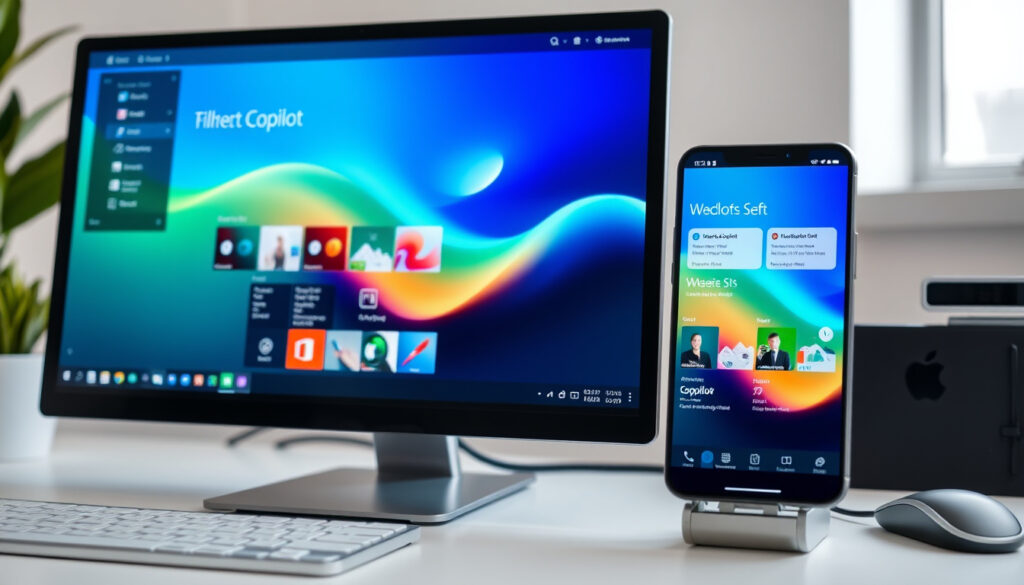
Microsoft Copilot: Download, Sign In & Usage Guide
You’ve probably heard about Microsoft Copilot—the AI assistant that can help you write documents, summarize meetings, or draft emails, but getting started isn’t always straightforward: which version do you download, and how do you sign in? This guide walks you through every step across Windows, Mac, iOS, Android, and the web, drawing directly from Microsoft’s own instructions.
Monthly active users: estimated tens of millions (Microsoft Q4 2024 earnings) ·
Integration: Word, Excel, PowerPoint, Outlook, Teams ·
Platforms: Windows, macOS, iOS, Android, web ·
Free tier: $0 (limited daily conversations)
Quick snapshot
- Microsoft Copilot is free to download on Windows, macOS, iOS, Android, and web (Microsoft Support (official help center)).
- Microsoft 365 Copilot requires a subscription and is available to work and school users (Microsoft (download page)).
- Copilot Pro costs $20 per month (as of 2025) for unlimited conversations (Microsoft (Copilot for individuals)).
- Signing in requires a personal Microsoft account, Apple ID, or Google account (Microsoft Support – sign‑in options). (Microsoft Support (official help center))
- The exact number of free daily conversations may change as Microsoft adjusts policies.
- Full feature parity between free and Pro versions is not yet guaranteed for all regions.
- Microsoft regularly updates Copilot with new capabilities; no fixed release schedule is published (Microsoft Adoption (official copilot hub)).
- Microsoft plans to expand Copilot availability to more regions and enterprise customers throughout 2025.
Four key facts define Microsoft Copilot’s current offering.
| Attribute | Value |
|---|---|
| Launch date | February 2023 (Bing Chat), rebranded to Copilot in 2024 |
| Parent service | Microsoft |
| Pricing model | Free + Pro subscription ($20/month) |
| Platforms | Web, Windows, macOS, iOS, Android |
How do I download Microsoft Copilot?
Download on Windows
- On Windows 11, Copilot is built into the latest update. If not auto-installed, get it from the Microsoft Store (official Copilot app).
- Sign-in requires a personal Microsoft account (Microsoft Support – getting started).
Download on macOS
- Available from the Apple App Store (Mac App Store). Requires macOS 14.0 or later and an Apple M1 chip or later (Microsoft Support – system requirements).
- Currently only available in the US, UK, and Canada (Microsoft Support – regional availability).
Download on iOS and Android
- iPhone and iPad: App Store (iOS 16.0+ required).
- Android: Google Play (published by Microsoft Corporation).
- Also accessible via web browser at Microsoft 365 Copilot web app.
macOS users outside the US, UK, and Canada cannot download the native app yet—they must rely on the web version. That’s a limitation Microsoft hasn’t explained.
The implication: Downloading Copilot is straightforward on most platforms, but regional restrictions on macOS and the requirement for a Microsoft account on Windows create friction for some users.
What is Microsoft 365 Copilot?
Overview of Microsoft 365 Copilot
- It’s an AI assistant integrated directly into Microsoft 365 apps like Word, Excel, PowerPoint, and Outlook (Microsoft (Microsoft 365 Copilot download page)).
- Requires a Microsoft 365 subscription—either personal (for Copilot Pro) or commercial (for work/school) (Microsoft – licensing requirements).
Integration with Office apps
- In Word, Copilot can draft documents, summarize content, and rewrite paragraphs.
- In Excel, it analyzes data, creates charts, and suggests formulas.
- In Outlook, it drafts emails and summarizes email threads.
For businesses, Copilot transforms routine Office tasks into AI-assisted workflows. But without a paid subscription, you get only the basic chat version, not the deep Office integration.
The trade-off: Microsoft 365 Copilot offers powerful automation, but its value depends entirely on how much you already rely on the Office suite.
Is Microsoft Copilot free?
Free tier features
- Access to Chat, Search, Apps, and Create from the same entry point (Microsoft 365 Copilot sign-in page).
- Limited daily conversations—exact count undisclosed and subject to change.
- Available on all platforms without payment (Microsoft – Copilot for individuals).
Copilot Pro pricing
- $20 per month per user (as of 2025).
- Unlimited conversations and priority access to newer models.
- Includes Microsoft 365 Copilot integration if you already have a Microsoft 365 subscription (Microsoft – pricing details).
The free tier is generous for casual use, but power users will hit the daily cap quickly. At $20/month, Pro is competitive with other AI assistants, especially given Office integration.
The pattern: Copilot’s free version is a strong entry point, but the paid tier is where the real productivity gains live—especially for Microsoft 365 subscribers.
How do I log in to Microsoft Copilot?
Sign in with Microsoft account
- Go to copilot.microsoft.com (Microsoft Copilot web portal) and click “Sign in.”
- Use a personal Microsoft account, or a work/school account if you have a Microsoft 365 Copilot license (Microsoft Support – sign‑in options).
- Alternate login methods: Apple ID or Google account on mobile and web (Microsoft Support – third‑party sign‑in).
Use Copilot in Edge browser
- Copilot is built into Microsoft Edge—click the Copilot icon in the top-right corner.
- No separate download needed; sign in with your Microsoft account to enable full features (Microsoft – Edge integration).
What this means: Login is simple if you already have a Microsoft account, but work users need an admin-assigned license. Apple and Google sign-ins offer a workaround for personal use.
How do I use Microsoft Copilot?
Chat with Copilot
- Open the Copilot app or visit copilot.microsoft.com.
- Type questions or requests—Copilot responds with text, images, or web search results.
- You can ask for summaries, ideas, explanations, or creative content (Microsoft 365 Copilot – usage guide).
Generate text in Word
- With Microsoft 365 Copilot enabled, open a Word document and click the Copilot icon.
- Describe what you want—”Draft a two-page proposal for a marketing campaign”—and Copilot generates it instantly.
- You can refine the output by giving additional instructions (Microsoft – Word Copilot features).
Analyze data in Excel
- Open an Excel spreadsheet with data and open Copilot.
- Ask questions like “What is the total sales by region?” or “Create a chart of monthly trends.”
- Copilot will generate formulas, tables, and visualizations (Microsoft Adoption (Copilot in Excel)).
Copilot’s outputs are based on patterns in its training data—always double-check critical numbers and business-sensitive content before sending.
The catch: While Copilot is powerful, it works best with clear prompts and well-structured data. Expect to iterate on its responses to get exactly what you need.
What’s confirmed and what’s still unclear
Confirmed facts
- Microsoft Copilot is available for free with limited daily conversations (Microsoft Support (official)).
- Microsoft 365 Copilot requires a subscription (Microsoft (download page)).
- Copilot Pro costs $20 per month (Microsoft (Copilot for individuals)).
- Download on Windows is via Microsoft Store or built into Windows 11 (Microsoft – get Copilot).
- macOS version requires macOS 14.0 and M1 chip (Microsoft Support – system requirements).
- Mobile apps available on iOS (App Store (iOS 16.0+)) and Android (Google Play (Microsoft Corporation)).
What’s unclear
- Exact daily conversation limit for free tier (Microsoft has not disclosed the cap).
- When macOS support will expand beyond US, UK, and Canada (Microsoft Support – regional restriction).
“Copilot is your AI companion to inform, entertain and inspire.”
— Microsoft Copilot product page (Microsoft (official description))
“Microsoft 365 Copilot is your AI-first productivity assistant.”
— Microsoft 365 Copilot product page (Microsoft (official description))
For anyone considering Microsoft Copilot, the choice is clear: the free version offers enough for casual use, but power users will want Copilot Pro for unlimited access and full Office integration. For work teams, a Microsoft 365 Copilot license is the only path to deep productivity gains.
microsoft-copilot.en.uptodown.com, microsoft.com, apps.apple.com, apps.apple.com, microsoft-copilot.en.softonic.com, apps.apple.com
For a detailed breakdown of Microsoft Copilot features and pricing, check out this comprehensive guide.
Frequently asked questions
Can I use Microsoft Copilot without a Microsoft account?
No—signing in with a Microsoft account (or Apple ID/Google account on supported platforms) is required for most features.
Does Microsoft Copilot work offline?
No, Copilot requires an internet connection to process requests and generate responses.
How many languages does Microsoft Copilot support?
Microsoft Copilot supports dozens of languages, including English, Spanish, French, German, Chinese, and Japanese. Availability varies by region.
What is the difference between Copilot and Copilot Pro?
Copilot is free with limited daily conversations. Copilot Pro ($20/month) offers unlimited conversations, priority access, and integration with Microsoft 365 apps when you have a subscription.
Is Microsoft Copilot safe to use?
Microsoft states that Copilot uses secure AI chat and follows Microsoft’s privacy and security policies. However, avoid sharing sensitive personal or business information.
Can I use Copilot in Excel for data analysis?
Yes, with Microsoft 365 Copilot (paid plan) you can analyze data, create formulas, and generate charts in Excel.
Does Microsoft Copilot have a mobile app?
Yes—download the Microsoft Copilot app from the Apple App Store (iOS) or Google Play Store (Android).
More related posts
 Who Moved My Cheese? Summary, Lessons & Relevance Today
 Man City vs Brighton & Hove Albion F.C. Lineups: Predicted XI
 The Good Luck Coconut Auckland: Tiki Bar, Menu & Reviews
 Fastest Plane in the World: Speed Records by Aircraft Category
 The Fish Bowl Rangiora: Menu, Reviews & Local Guide
 Florence + the Machine: Band Profile & Guide
 Cast of Grosse Pointe Garden Society: Actors & Characters
 Drift Boss Math Playground: Free Play, Records & Tips