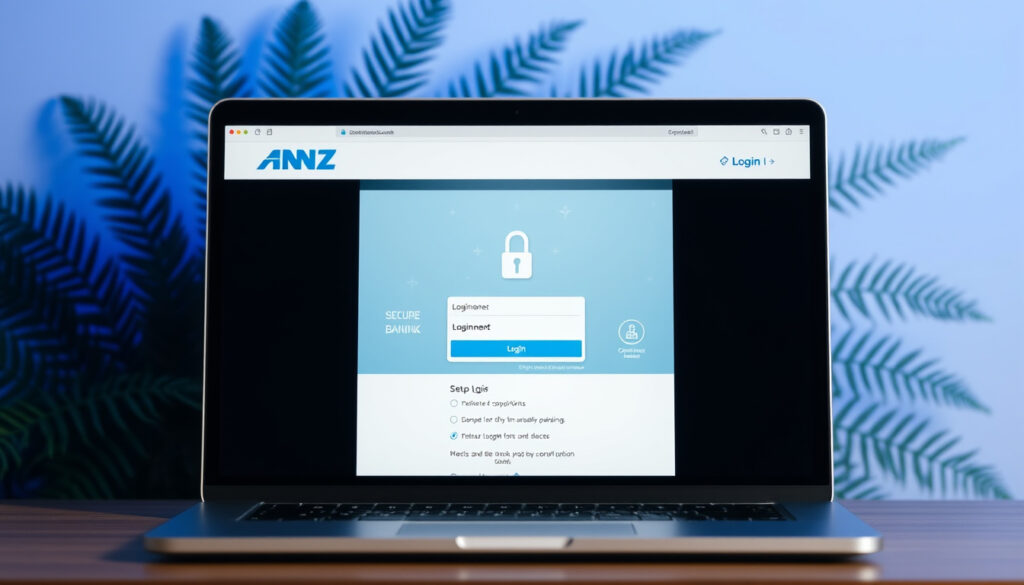
ANZ NZ Online Banking – Login, Setup and Features Guide
ANZ offers New Zealand customers comprehensive online and mobile banking through its goMoney app and internet banking platform. This guide covers everything from initial registration to everyday usage, security features, and troubleshooting common issues.
For New Zealanders managing their finances, ANZ NZ online banking provides access to accounts, transfers, and financial management tools through both the goMoney mobile app and the ANZ Internet Banking website. The service caters to personal and business customers, offering round-the-clock access to essential banking functions.
How Do I Log Into ANZ NZ Online Banking?
The login process requires three authentication factors to ensure account security. Users must enter their Customer Number, password, and a 4-digit PIN when accessing ANZ NZ online banking for the first time on any device. The Customer Number can be found on the back of the customer’s card, within the goMoney app Settings, or by calling 0800 269 296 for assistance.
Biometric authentication offers a faster alternative on compatible devices. Fingerprint or facial recognition can replace the traditional PIN entry, provided the device supports these features and biometrics have been enabled within the app settings. This option streamlines the login process while maintaining security standards.
Users can view account balances instantly without completing a full login by using the Quick Balance feature. This provides a convenient snapshot of available funds at a glance.
Internet Banking & goMoney
Register in 5 Minutes
Transfers, Bills, Alerts
2FA, Biometrics
- Authentication available 24 hours a day, seven days a week
- Biometric login supported on eligible iOS and Android devices
- Quick Balance provides instant account visibility without full login
- Customer Number required for every new device registration
- OnlineCode serves as the second-factor authentication method
- Voice ID provides an additional biometric authentication option
| Feature | Details | Availability |
|---|---|---|
| Login Method | Customer Number, Password, PIN/Biometrics | 24/7 |
| Biometric Login | Fingerprint or Face Recognition | Eligible devices |
| Quick Balance | Instant balance view without full login | All users |
| OnlineCode | Second-factor authentication | Required for new devices |
| Voice ID | Voice-based biometric verification | Optional enrollment |
| Business Login | Single login for personal and business | Business customers |
How to Register for ANZ Internet Banking NZ?
New customers can register directly through the goMoney app by selecting “Join as a new customer.” No branch visit is required for this process. The registration form sets up both goMoney mobile banking and Internet Banking simultaneously, generating a reference number that customers must note for activation purposes.
After completing the registration form, customers must call 0800 269 296 (or +64 4 470 3142 from overseas, with charges applying) to quote the reference number. ANZ staff will then verify identity and activate the account. The entire process can be completed in approximately five minutes for eligible applicants.
Eligibility Requirements
- Minimum age of 13 years old
- New Zealand residential address
- Valid New Zealand identification (passport or driver’s licence)
- Compatible mobile device with camera functionality
Downloading the ANZ goMoney App
The ANZ goMoney New Zealand app is available for download from both major app platforms. iOS users require iOS 16.2 or above on iPhone or iPad devices. Android users need Android 9.0 or higher. Users should search specifically for “ANZ goMoney New Zealand” to ensure they download the official ANZ application.
The official app can be found on the App Store for Apple devices and Google Play Store for Android devices.
Existing ANZ customers who already have Internet Banking or goMoney on another device can log in using their Customer Number and password. They will need to enter their OnlineCode during the initial setup on the new device and then establish a new 4-digit PIN. Business users can access both personal and business accounts through a single login credentials set.
ANZ reviews new customer applications within two business days. Staff may contact applicants if additional information is required for verification purposes. Approved customers receive an ANZ Go account, which serves as their primary everyday banking account.
What Are the Key Features of ANZ goMoney App?
The ANZ goMoney app provides comprehensive account management capabilities for New Zealand customers. Account holders can view balances across all their ANZ accounts, move money between accounts (including foreign currency transfers), and set up automatic payments for recurring bills. Push notifications alert users to deposits and balance changes in real time.
Payments and Transfers
Users can pay other people using their mobile phone number if they bank with participating New Zealand institutions. The app also supports international money transfers, allowing customers to send funds overseas directly from their mobile device. Transfers between the customer’s own ANZ accounts are available at no charge, including foreign currency account movements.
Card Management
The goMoney app enables full card management capabilities. Customers can set or change their card PIN, temporarily block cards, report lost or stolen cards, apply for new cards, and opt out of paper statements. These self-service features eliminate the need to visit a branch for routine card-related tasks.
Documents and Statements
Account holders can access up to seven years of statements and documents in PDF format through the app. This feature provides convenient record-keeping for tax purposes, expense tracking, or historical reference. Users can also locate nearby ANZ branches and ATMs using the app’s built-in locator, which requires location permissions on the device.
KiwiSaver Management
ANZ goMoney includes dedicated KiwiSaver management features. Users can view their KiwiSaver account details, check their Prescribed Investor Rate (PIR), review contribution history, monitor investment performance, access statements, and track employer and personal contributions. For more information on comparing banking options, readers may find the ASB Raises Fixed Rates – Latest Changes and Bank Comparisons article useful.
Business customers can view combined personal and business accounts, process employee payments, submit IRD payments, and utilize multi-authorizer approval workflows directly through the app.
Is ANZ NZ Online Banking Safe and Reliable?
ANZ implements multiple layers of security to protect customer accounts and data. The platform uses high-grade encryption to safeguard all communications between the app and ANZ servers. Critically, no personal or banking details are stored on the user’s device itself, reducing risk if a device is lost or compromised.
The app includes automatic security measures against unauthorized access. After multiple incorrect PIN entries, the app locks itself. Sessions also automatically time out after periods of inactivity, requiring users to re-authenticate before accessing account information. These features provide protection against both casual and determined unauthorized access attempts.
Authentication and Fraud Prevention
The OnlineCode system serves as ANZ’s second-factor authentication method. This is required during registration, when adding a new device, and when resetting the PIN. The system adds an extra layer of security beyond the initial login credentials. Voice ID provides an additional biometric authentication option that users can enroll in through the app.
ANZ operates 24-hour fraud monitoring systems that analyze account activity and user behavior patterns. The bank also employs device interaction tracking, monitoring elements such as swipes, scrolls, and typing patterns to detect potential fraud or scam activity. These behavioral analytics help identify compromised accounts or social engineering attempts.
Using ANZ Online Banking Overseas
The goMoney app functions while customers are overseas, allowing them to check balances, view transaction history, and send international money transfers. Login from international locations requires the same Customer Number, password, and PIN or biometric authentication used domestically.
ANZ recommends that customers travelling internationally register for OnlineCode and Voice ID before departure. These authentication methods ensure secure access while abroad. Customers needing support while overseas can contact ANZ at +64 4 470 3142, though international calling charges may apply.
Customers calling ANZ from overseas should be aware that standard international calling rates apply. Considering alternative contact methods such as the Internet Banking help page may be more cost-effective for non-urgent inquiries.
Common ANZ NZ Online Banking Issues and Fixes
Several common issues may arise when using ANZ NZ online banking. PIN reset requests can be handled through the OnlineCode authentication system, which verifies identity before allowing PIN changes. Users who have forgotten their login credentials should access help through the Internet Banking login page at login.anz.com/internetbanking.
Customer Number Problems
Customers unable to locate their Customer Number have several options. The number is printed on the back of the ANZ card, accessible within goMoney app Settings for registered users, or can be obtained by calling 0800 269 296. This phone-based recovery option requires identity verification to protect account security.
Account and Device Issues
Some app features require specific device permissions. Location permission enables the branch and ATM locator functionality, while photo permissions allow users to personalize their accounts with images. These permissions remain local to the device and are not transmitted to ANZ servers or shared with third parties.
General troubleshooting guidance and step-by-step instructions for common tasks are available through ANZ’s official guides. For additional context on money transfer methods and alternatives, readers may find the Sending Money to Australia by Post – Legal Risks and Safe Alternatives article informative.
ANZ phone support operates Monday to Friday from 8am to 8pm, and Saturday to Sunday from 8am to 6pm for eligible services. Extended support options are available through in-app settings and the official guides.
ANZ Online Banking Development Timeline
ANZ has progressively expanded its digital banking capabilities in New Zealand over recent years, with the goMoney platform serving as the primary mobile banking channel for customers across the country.
- goMoney App Launch – ANZ introduced the goMoney mobile application, establishing its mobile banking platform for New Zealand customers
- Platform Modernization – ANZ updated the goMoney platform to improve security features and user experience
- Biometric Integration – Fingerprint and facial recognition login options added for compatible devices
- Enhanced Security Features – OnlineCode second-factor authentication became standard for new device registrations
- Business Banking Expansion – Multi-authorizer workflows and combined account views added for business customers
What Information Is Established and What Remains Unclear?
Based on ANZ’s official documentation, several aspects of ANZ NZ online banking are clearly established. The registration process, login requirements, security features, and core functionality are well-documented through official ANZ sources. Key features including transfers, card management, and statement access are confirmed as available.
However, certain information cannot be confirmed from available sources. Specific fee structures for various transaction types are not detailed in official documentation, meaning customers should verify current fee schedules directly with ANZ. Real-time system availability status varies, and users experiencing access issues should check ANZ’s official channels for current service information.
| Established Information | Information Requiring Verification |
|---|---|
| Registration process and requirements | Current fee schedules |
| Login authentication steps | Real-time system status during outages |
| Security features and encryption | Specific transaction limits |
| Available features and functionality | International transfer limits and processing times |
How Does ANZ NZ Online Banking Fit in the New Zealand Banking Landscape?
As one of New Zealand’s largest banks, ANZ serves millions of customers across personal and business segments. The goMoney app represents ANZ’s primary digital channel for everyday banking tasks, competing with mobile banking offerings from other New Zealand banks including ASB, Westpac, BNZ, and Kiwibank.
The Reserve Bank of New Zealand maintains regulatory oversight of the banking sector, establishing standards that ANZ and other institutions must follow. This regulatory framework ensures consistent security standards, consumer protections, and dispute resolution mechanisms across all registered banks operating in New Zealand.
For customers comparing banking options, ANZ’s integration of personal and business banking within a single app provides convenience for customers who maintain both account types. The availability of step-by-step guides and comprehensive in-app support distinguishes ANZ’s offering from some competitors.
Official Guidance and Resources
ANZ’s official digital banking platforms provide customers with secure, convenient access to everyday banking services. The goMoney app and Internet Banking are designed to meet the diverse needs of New Zealanders managing their personal and business finances.
— ANZ New Zealand official communications
Customers seeking detailed guidance can access step-by-step instructions through ANZ’s official guides covering common tasks including registration, transfers, and account management. The official goMoney and Internet Banking guides provide authoritative information for users at every experience level.
Summary and Next Steps
ANZ NZ online banking through the goMoney app and Internet Banking platform provides comprehensive banking services accessible 24 hours a day. The registration process can be completed entirely through the mobile app, with customers needing only a valid New Zealand ID and compatible device. Security measures including high-grade encryption, two-factor authentication, and biometric login options help protect customer accounts.
Customers experiencing issues should contact ANZ support through the official phone lines or access help resources through Internet Banking login help. For those comparing banking options or seeking current rate information, the ASB Raises Fixed Rates – Latest Changes and Bank Comparisons article provides additional context on the New Zealand banking market.
Frequently Asked Questions
What are the fees for ANZ NZ online banking?
Basic transfers between ANZ accounts are free. Specific fees for other transaction types are not detailed in official sources, so customers should check current fee schedules directly with ANZ or through the app.
How do I contact ANZ NZ support for online banking?
Call 0800 269 296 within New Zealand or +64 4 470 3142 from overseas. Some services are available Monday to Friday 8am-8pm and Saturday to Sunday 8am-6pm.
Is ANZ NZ online banking down right now?
Current system status information is not published in official documentation. Customers experiencing access issues should check ANZ’s official website or contact support directly.
How do I reset my ANZ NZ online banking password?
Use the OnlineCode authentication system to verify your identity before resetting your PIN. Access help through the Internet Banking login page if you have forgotten your password.
Can I use ANZ NZ online banking overseas?
Yes, the goMoney app works internationally. Use your Customer Number, password, and PIN or biometrics to log in. Register for OnlineCode and Voice ID before travelling for enhanced security.
How do I download the ANZ NZ banking app?
Search for “ANZ goMoney New Zealand” in the App Store (iOS 16.2+) or Google Play Store (Android 9.0+). Ensure you download the official ANZ application.
What authentication methods are available?
Customers can use their Customer Number, password, and 4-digit PIN. Biometric authentication using fingerprint or facial recognition is available on compatible devices. OnlineCode provides second-factor authentication.
How long does ANZ take to review new customer applications?
ANZ reviews applications within two business days. Staff may contact applicants if additional information is required for verification purposes.
More related posts
 New Zealand Traveller Declaration: Required Forms & How To
 Black Pearl Cafe Menu: Prices, Locations & Ordering
 How Kiwi independent media can build trust through smarter link analysis
 The Fellowship of the Ring: Movie, Book, and J.R.R. Tolkien Facts
 NZ Darts Masters 2025: Results, winner, tickets & FAQs
 Girona vs Real Madrid: Head-to-Head Record & 2026 Draw
 What Does Tonsillitis Look Like? Symptoms & Duration
 The Ordinary Vitamin C: Which Product Is Best? Uses & Mixing Tips