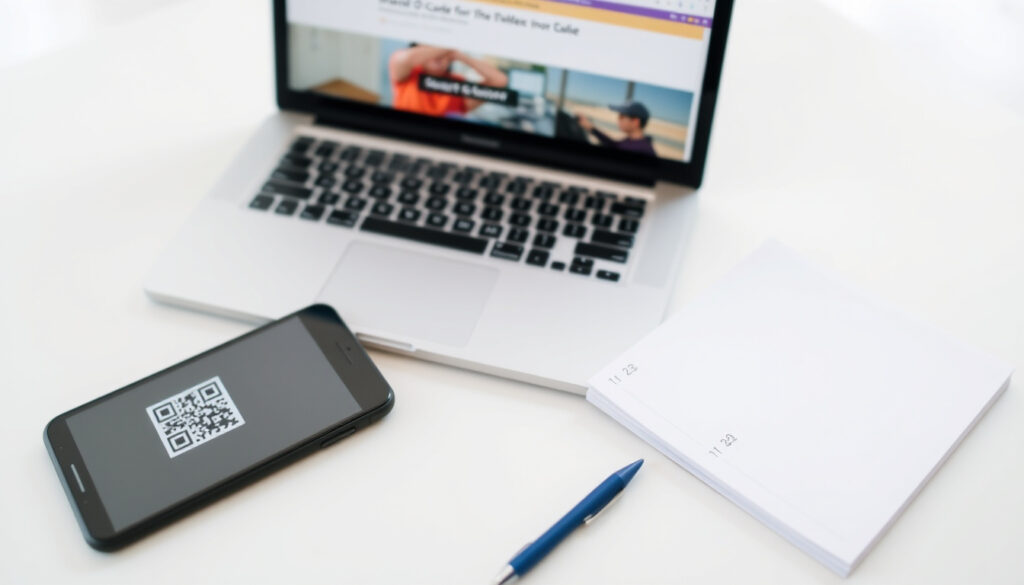
How to Make a QR Code for Free: Step-by-Step Guide
QR codes are quietly everywhere — on café tables and package labels — yet most of us just scan them. The fastest free way to make one is already in your pocket: the iPhone Camera app can scan QR codes natively since iOS 11 (2017), and Google Chrome can turn any web page into a scannable code from its share menu.
QR codes invented: 1994 by Denso Wave · Built-in iPhone scanner since: iOS 11 (2017) · Max numeric characters: 7,089 · Error correction: Reed-Solomon (up to 30% recovery) · Free generators: Chrome, web tools, iPhone apps
Quick snapshot
- Free static QR codes don’t need an app or an account, but they can’t be edited or tracked (Uniqode).
- At least one App Store listing promises no ads, no in-app purchases, and no hidden costs (Apple App Store).
- The iPhone Camera app has scanned QR codes natively since iOS 11 (2017). (Uniqode)
- Whether every Android phone scans QR codes in its default camera app; reader apps remain a common workaround.
- Whether Google will ever ship a standalone QR generator product.
- What “free” covers in a given app listing until you check for in-app purchases.
- 1994: Denso Wave introduces QR codes.
- 2017: iOS 11 brings native QR scanning to the iPhone Camera app.
- Today: free iPhone apps turn a link into a code in a few taps.
- Web-based generators handle URLs, Wi-Fi, text, email, and contact codes without an install.
- Dynamic QR codes add editing and scan tracking, usually at a subscription price.
- Practical next step: generate a test code, scan it with your phone camera, then download it.
Eight quick facts, one pattern: the encoding work was automated decades ago, so today’s tools turn raw data into a scannable code in seconds.
| Item | Value |
|---|---|
| QR code created | 1994 |
| Creator | Denso Wave (Toyota subsidiary) |
| Stands for | Quick Response |
| Max data capacity | 7,089 numeric characters |
| Error correction | Reed-Solomon, up to 30% recovery |
| Encoding standard | ISO/IEC 18004 |
| Built-in scanner | iPhone Camera (iOS 11+); Android via Google Lens |
| Free dynamic iPhone option | Me-QR — editable codes, no expiry (App Store listing) |
The pattern: the table confirms that generation tools are mature and widely available at no cost.
How can I create a QR code for free?
Free QR generation is the default, not an upsell. The App Store alone lists multiple iPhone apps that advertise free QR-code creation, and the web route needs no app at all.
What is the best free QR app?
- The QR Code Generator — a free tier for text and URL codes, with styling options such as custom colors and circular designs (Apple App Store).
- QR-Codes Generator — its listing explicitly promises no ads, no in-app purchases, and no hidden costs.
- Me-QR — free dynamic QR codes for iPhone, editable, with no expiry date in the free version.
The word “best” depends on the job. A one-off URL code is fastest in a web tool; a menu you’ll reprint regularly justifies an app with a project history; a code that must stay editable pushes you toward dynamic features.
Read the App Store listing before downloading, because “free” can mean a genuinely free download or a free tier with in-app purchases.
Can you give me an example of a QR code?
A working example is 30 seconds away: open a generator, paste a link, download the PNG, and scan it with the iPhone Camera app.
- Copy the link you want to encode.
- Open a generator — a web dashboard or an iPhone app.
- Paste the link, keep the default design, and create the code.
- Download the image and hold your phone camera over it.
- Check that the scan lands on the right page before you publish it anywhere.
How-To Geek’s walkthrough (How-To Geek) shows the app version of that example: open the QR Reader app, choose the QR-code icon, tap plus, select the type, enter the details, and create. Uniqode documents the no-app equivalent for iPhone, and both routes end with the same result — a scannable PNG saved to your phone.
The implication: every generator’s “create” step is essentially the same; the differences show up later, in whether the code is static or dynamic and whether the file format survives a print run.
Can I make a QR code from my phone?
Yes — and you don’t need a computer, a cable, or a separate scanner app. Two routes work from the phone itself: a web-based generator in the mobile browser, or a native iPhone app.
Can you create a QR code on your iPhone?
- Use a web generator in Safari — no install, and it handles URLs, Wi-Fi, text, email, SMS, and contact cards.
- Use an iPhone app like Me-QR, which advertises free dynamic QR codes that stay editable and don’t expire (Apple App Store).
- Use Chrome’s share menu to create a QR code for the page you’re reading, right from the phone.
Uniqode’s no-app walkthrough covers the browser route: open a maker dashboard, select Website, paste the URL, customize, and download the image to your camera roll. The app route is just as direct — How-To Geek (How-To Geek) documents the QR Reader workflow on iPhone and Android: tap the QR-code icon, tap plus, choose the type, enter the details, and create.
The iPhone’s strength is that it never needs a separate reader — the scanning side is built in — but it doesn’t generate codes on its own. Generation always happens in a browser or an app.
Does an iPhone have a built-in QR scanner?
The iPhone Camera app has been able to scan QR codes out of the box since iOS 11 (2017), which means scanning is solved on iOS — generation is the only missing piece.
Point the camera at a code, wait for the yellow banner, and tap it. The scanner handles web URLs, Wi-Fi logins, contact cards, and payment codes; what it doesn’t do is create a code. Scanning and generating are opposite directions of the same technology.
The pattern: Apple solved scanning in 2017 and left generation to apps and browsers. The fastest iPhone workflow pairs the built-in camera as the tester with any free generator as the maker.
Can you manually make a QR code?
- QR codes are defined by the ISO/IEC 18004 standard, which specifies how data becomes the black-and-white module pattern.
- Reed-Solomon error correction lets a scanner recover data even when a code is dirty or partially covered — up to 30% recovery.
- Generators handle the encoding automatically; a hand-drawn version is theoretically possible, but one misplaced module can break the scan.
Hand-drawing a QR code means getting the finder squares, the timing patterns, and the encoded bit stream exactly right. The error often shows up only when a scanner fails silently, which makes pencil-and-paper QR codes a curiosity rather than a workflow.
A hand-drawn QR code fails silently: it looks correct to the eye, and the scanner simply doesn’t respond. Error correction tolerates dirt and damage, not human mistakes.
The encoding process rewards the same methodical attention as other step-by-step beginner guides on this site, but a missed module is invisible until a scanner refuses to read it.
The takeaway: QR codes were designed for machines to read at high speed, not for human production. Generators exist precisely because people can’t reliably reproduce ISO/IEC 18004 by hand.
Is Google QR code free?
- Google Chrome includes a free built-in QR code generator for the page you’re viewing.
- There is no official standalone “Google QR Code Generator” product; the search phrase mostly reflects people looking for a free tool.
- The cost to end users is zero.
To use Chrome’s generator, open the page you want to share, tap the Chrome menu, choose Share, and select Create QR Code. Chrome draws the code instantly and lets you save or copy it — no app, no account, no charge.
What this means: when the most-used browser ships a free QR generator for basic links, a paid QR service has to earn its keep with dynamic features and analytics.
How do I make a QR code for a link?
- Copy the full link, including https://.
- Open a generator — a web tool, a phone app, or Chrome’s share menu.
- Paste the link into the content field.
- Add color or a logo only if the generator supports it cleanly.
- Test the finished code with the iPhone Camera app before you print or share it.
- Download the image and keep the original file somewhere safe.
Uniqode’s iPhone guide (Uniqode) documents the no-app version of this flow: open the maker dashboard, select Website, paste the URL, customize, and download. Static QR codes permanently encode the link; dynamic QR codes send scanners to a redirect the owner can update later.
QRCode Monkey generates free custom QR codes with logo upload, and Adobe Express offers free downloads as PNG, JPEG, or PDF with no expiry — both good answers when you want a branded code without designing it yourself.
How do I create a QR code in Canva?
- Open a Canva design for the poster, flyer, menu, or label the code will appear on.
- In the side panel, select Elements and search for QR code.
- Paste the destination link and adjust the style.
- Drag the code into place like any other design element.
Canva’s help documentation describes the same flow from the design editor’s side: Elements is where the QR generator lives, and the finished code resizes with your layout. If you’ve used free design tools like Canva for earlier flyer or menu projects, the QR code plugs straight into that workflow.
The trade-off: static codes are free and permanent; dynamic codes are editable and trackable. If the destination might change after printing, dynamic is the difference between one print run and two.
Step-by-step: make a QR code in under two minutes
From URL to scannable PNG takes about 60 seconds with a free web generator — no account, no app, no cost.
- Decide what the code holds: a link, plain text, Wi-Fi credentials, an email address, or a contact card.
- Pick a generator: Chrome’s share menu for the current page, a web dashboard, or an iPhone app.
- Paste or type the content. For links, include the full URL with https://.
- Customize if needed — colors, a logo, or decorative modules where the tool supports them.
- Test before you print: scan the code with the iPhone Camera app and confirm it lands on the right page.
- Download in the format you need — PNG for web, SVG or PDF for print.
Both routes — the no-app web dashboard and the dedicated iPhone app — follow this same skeleton: decide the content, generate, customize, test, download. The order matters less than the test step, which catches most mistakes before they reach print.
The pattern: every QR workflow collapses into these six moves; the only real fork is static versus dynamic — permanent but frozen, or editable and trackable at a price.
What’s confirmed, what’s still unclear
What’s confirmed
- The iPhone Camera app has scanned QR codes natively since iOS 11 (2017).
- Google Chrome includes a free built-in QR code generator for URLs.
- Adobe Express free QR code downloads never expire.
- Free static QR codes need no app but can’t be edited or tracked.
What’s unclear
- Whether every Android phone scans QR codes in its default camera app.
- Whether Google will release a standalone QR generator product.
- What “free” covers in a given app listing until you check for in-app purchases.
- Whether dynamic QR codes stay free beyond a provider’s trial window (Uniqode).
The balance: the confirmed facts favor Apple’s ecosystem and free static codes; the open questions sit on the Android side and Google’s roadmap.
What the QR tools say about their free tiers
The most useful guidance on free QR creation comes from the tools’ own documentation and listings.
Free static QR codes can be created without an app, but they are not editable or trackable.
Uniqode — QR platform provider
To create a QR code, open the app, choose the QR-code icon, tap plus, select the QR type, and enter the details before creating the code.
Create free dynamic QR codes on iPhone — editable, with no expiry date for codes in the free version.
Me-QR listing, Apple App Store
No ads, no in-app purchases, and no hidden costs.
QR-Codes Generator listing, Apple App Store
The pattern: the free tier is what the tools advertise first; the limits — no edits, no tracking, no expiry guarantees — come second. Read both sentences.
The takeaway
Two free routes cover nearly every QR need: the iPhone Camera app and Chrome’s share menu handle the everyday scanning-and-linking cases, and free web or App Store generators add customization when a code has to look professional. The decision that actually matters is static versus dynamic — permanent but frozen, or editable and trackable at a price. For a small-business owner or event organizer printing a menu or poster, the choice is clear: start with a free static code from a reputable web generator or an ad-free iPhone app, and upgrade to dynamic only when the destination link might change or you need scan analytics.
The implication: scan the fine print once, up front, and “free” rarely surprises you later.
apps.apple.com, apps.apple.com, apps.apple.com, apps.apple.com, apps.apple.com, apps.apple.com, apps.apple.com
Frequently asked questions
Do all phones scan QR codes?
Not all, but the gap is shrinking. The iPhone Camera app has scanned QR codes natively since iOS 11 (2017), so any recent iPhone is covered. On Android, support depends on the phone maker’s camera app; when it’s missing, a free reader app is the standard fix.
What is a static QR code generator?
A static QR code generator locks whatever you enter — a URL, text, or Wi-Fi credentials — into the code permanently. The destination can’t be changed later and there’s no scan tracking. Static codes are the default free option and the right choice when the linked content won’t move.
Can I make a QR code without downloading an app?
Yes. Google Chrome’s share menu can create a QR code for the current page, and web-based generators run in any mobile browser. The no-app workflow is: open a maker dashboard, choose Website, paste the URL, customize, and download.
Do free QR codes expire?
The short answer is no for most reputable tools. Adobe Express says its free QR code downloads never expire, and Me-QR’s App Store listing advertises no expiry for codes created in its free version. A printed code can still become unreadable if the physical code is damaged beyond what error correction can repair.
Can I change a QR code after I create it?
Only if the QR code is dynamic. A static code is frozen at creation; a dynamic code stores its destination online, so you can swap the target URL without printing a new code. Dynamic features usually come with a subscription, though Me-QR advertises free dynamic codes for iPhone.
Are free QR code apps really free?
Some are. One App Store listing puts it plainly: no ads, no in-app purchases, and no hidden costs for its QR generator. Others are free in the freemium sense — useful for basic text and URL codes, with extra features unlocked by purchase. Check the listing’s fine print before installing.
How much data can a QR code hold?
A QR code can hold up to 7,089 numeric characters, though a web address with symbols and mixed case consumes that budget faster. The ISO/IEC 18004 standard defines the encoding, and Reed-Solomon error correction keeps codes readable even when they’re dirty or partially covered.
More related posts
 To Be Hero X Explained: Fan Trust System & Season 2
 Consulate General of India Auckland: Contact, Services & PCC
 How to Calculate Percentage Increase: Formula, Examples & Tips
 Why Does Trump Want Greenland? National Security & Rare Earths (2026)
 Spring Hill Corrections Facility: Security, Visits, Costs
 GBP to NZD Live Rate: Pound to New Zealand Dollar Today
 Cast of Sex Education – Complete Guide to All Seasons
 Spanish Classes Online NZ: Compare Costs & Providers