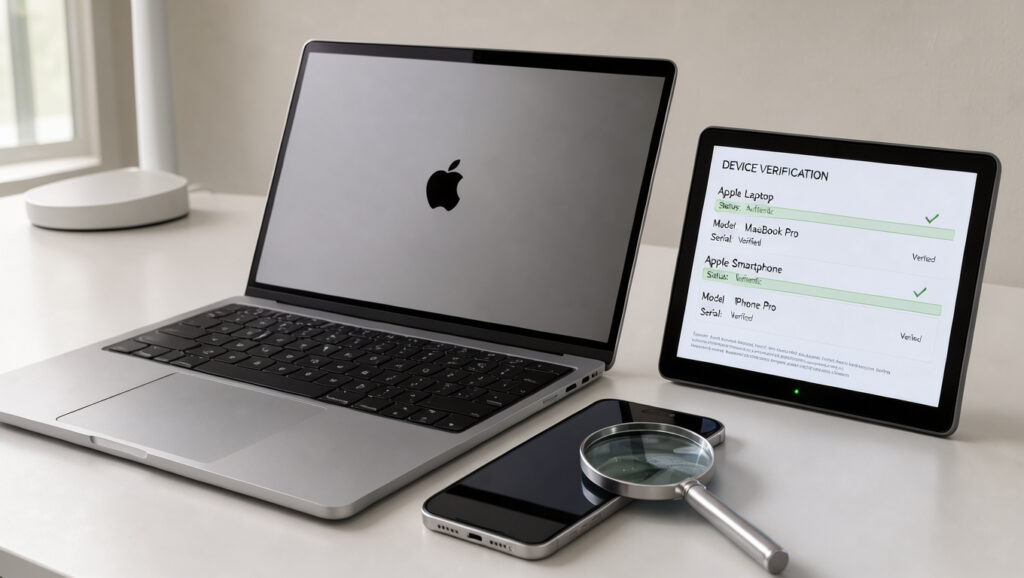
Apple Serial Number Check: How to Find and Verify Your Device
If you’re about to buy a used iPhone or a pair of AirPods from a stranger, the serial number feels like the fastest way to calm your nerves, but it proves less than most buyers assume. Apple Support (manufacturer’s identifier guide) places the number under Settings, then General, then About, and checkcoverage.apple.com reports warranty status from that same number, which answers a narrower question than the one buyers usually ask.
Official coverage lookup: checkcoverage.apple.com · iPhone serial number location: Settings > General > About · Serial number vs IMEI: Two different identifiers
Quick snapshot
- Apple lists the serial number under Settings, General, then About (Apple Support, manufacturer’s identifier guide) (Apple Support (warranty and coverage guide))
- Check Coverage accepts a serial number to show warranty and support eligibility (Apple Support (warranty and coverage guide))
- Serial number and IMEI are separate identifiers (Apple Support, manufacturer’s identifier guide) (Apple Support (warranty and coverage guide))
- Whether free third-party checkers return accurate model data; according to IMEI24 (third-party checker), their results can be approximate or incorrect
- How Apple sets the purchase-date validation status; Check Coverage shows that status (Apple Support, warranty and coverage guide), but the research behind this guide found no Apple statement on how it is set (IMEI24 (third-party checker))
- Whether Apple’s current specifications pages still support a serial-based model lookup; this guide did not confirm it (IMEI24 (third-party checker))
- Apple’s identifier guide is dated 2026-05-12 and states that iPhone 14 models and later have no IMEI/MEID engraving (Apple Support, manufacturer’s identifier guide)
- Apple’s warranty guide was updated on 2025-03-13 (Apple Support, warranty and coverage guide)
- Compare the Check Coverage result against the IMEI on the box and in Settings (Guiding Tech (independent tech publication))
- Check the model name that Check Coverage returns against the box, since the page shows the model for a recognized serial (Apple Support, warranty and coverage guide) (Guiding Tech (independent tech publication))
A handful of facts settle most first-pass questions, and the model-number prefix letter is the one that changes what a valid result means.
| Item | Detail |
|---|---|
| Official coverage lookup | checkcoverage.apple.com |
| iPhone serial number location | Settings > General > About |
| Serial number vs IMEI | Two different identifiers |
| Model number prefix M | New retail purchase |
| Model number prefix F | Refurbished by Apple |
| Model number prefix N | Replacement from a service request |
| Model number prefix P | Personalized or engraved by Apple |
| iPhone 14 models and later | No IMEI/MEID engraving on the device |
How do I check an Apple serial number?
The process is short: find the number on the device, then enter it at Apple’s coverage site. Apple’s identifier guide covers the on-device route first (Apple Support, manufacturer’s identifier guide).
- Open Settings, tap General, then tap About (Apple Support, manufacturer’s identifier guide).
- The EID, IMEI/MEID and ICCID sit further down the same screen, so scroll to see them (Apple Support, manufacturer’s identifier guide).
- Open checkcoverage.apple.com, enter the serial number, and follow the on-screen instructions (Apple Support, warranty and coverage guide).
Where to find the serial number on an iPhone
- Settings, General, About: the main on-device location (Apple Support, manufacturer’s identifier guide)
- Original packaging barcode: lists the serial number, EID and IMEI/MEID (Apple Support, manufacturer’s identifier guide)
- Apple Account: sign in at account.apple.com and open the Devices section (Apple Support, manufacturer’s identifier guide)
- Mac running macOS Catalina 10.15 or later: connect the iPhone and open Finder; on macOS Mojave or earlier, iTunes does the job (Apple Support, manufacturer’s identifier guide)
Checking the serial number on Apple’s coverage site
- Check Coverage accepts the serial number and shows warranty and support eligibility (Apple Support, warranty and coverage guide)
- When the serial is recognized, the page shows the model, purchase date status, warranty status, AppleCare eligibility and service coverage (Apple Support, warranty and coverage guide)
Several routes lead to the same identifiers, so a buyer can cross-check one place against another.
| Location | Identifiers shown |
|---|---|
| Settings > General > About | Serial number, model number, EID, IMEI/MEID, ICCID |
| Original packaging barcode | Serial number, EID, IMEI/MEID |
| account.apple.com, Devices section | Serial number, EID, IMEI/MEID |
| Finder on a Mac with macOS Catalina 10.15 or later | Serial number over USB |
| iTunes on macOS Mojave or earlier | Serial number over USB |
| SIM tray on iPhone 13 series and iPhone SE (3rd generation) | IMEI/MEID |
| Phone app, dialing *#06# | IMEI |
| Back of iPhone 6, 6 Plus, SE (1st generation), 5s, 5c and 5 | IMEI/MEID |
Does an iPhone serial number check show whether it is original?
A serial lookup answers a narrower question than most buyers hope. Apple’s Check Coverage tool confirms that a serial is recognized and shows coverage details (Apple Support, warranty and coverage guide), which is not the same as confirming the phone is genuine.
What a serial number lookup confirms
- Recognized serial numbers return coverage eligibility on Apple’s own site (Apple Support, warranty and coverage guide)
- Model number prefixes show device history: M for new retail, F for refurbished by Apple, N for a service replacement, and P for a personalized device (iGeeksBlog (independent Apple-focused publication))
- A valid result on an F-prefix device describes a refurbished unit, not a new one (iGeeksBlog, independent Apple-focused publication)
Limits of a serial number check
- A valid serial on Check Coverage does not prove the physical device is the original tied to that identifier (iGeeksBlog, independent Apple-focused publication)
- A counterfeit can display identifiers copied from a real iPhone, so the serial alone is not proof (iGeeksBlog, independent Apple-focused publication)
- Third-party lookup sites are not Apple checks; according to IMEI24 (third-party checker), their results can be approximate or incorrect
A clean serial result tells you the identifier is real, not that the box in your hands matches it. Pair the lookup with an IMEI comparison against the packaging and Settings, because a counterfeit can copy identifiers (iGeeksBlog, independent Apple-focused publication).
What this means: The lookup verifies recognition and coverage. Originality still needs a second check that the serial cannot provide on its own.
Can an Apple serial number check show the model?
Yes, when Apple recognizes the serial. Check Coverage returns the model when it recognizes a serial number (Apple Support, warranty and coverage guide), and according to The Tech Gorilla (consumer tech blog) the same page shows whether the purchase date has been validated.
Model lookup through Apple’s Tech Specs page
- Check Coverage is the model source to check first, since it returns the model name for a recognized serial (Apple Support, warranty and coverage guide)
- Apple’s current product specifications pages are the place to confirm model details; this guide did not confirm that a serial-based Tech Specs lookup still works
- The model number’s first letter adds purchase history such as refurbished or replaced, not a model name (Guiding Tech, independent tech publication)
A model name that matches the box is a useful first cross-check (Apple Support, warranty and coverage guide), but a match covers only one identifier.
The pattern: The model field catches an obvious mismatch, and it says little about the hardware behind the screen.
Is an Apple serial number legit check reliable?
Free third-party checkers are easy to find, and their reliability depends on who runs them. Apple’s own coverage site remains the primary check for warranty status (Apple Support, warranty and coverage guide).
Free lookup sites and their limits
- According to IMEI24 (third-party checker), its results can be approximate or incorrect, and its accuracy is not independently verified
- According to Setapp (third-party app vendor), Apple’s warranty applies only to genuine products bought from Apple or an authorized reseller
- DecorTweaks (independent consumer guide) reports that a missing purchase date can point to a refurbished, replaced or non-genuine unit, and labels that as inference rather than an Apple finding
- According to The Tech Gorilla (consumer tech blog), an unvalidated purchase date is a warning sign of a refurbished or replaced unit
Third-party sites do not check results against Apple’s records, so their output is weaker evidence than Apple’s own coverage page (IMEI24, third-party checker).
The trade-off: A free checker is quick, but its answer is only as reliable as data Apple does not confirm.
Can you check the serial number of AirPods and Apple Pencil?
Yes, Apple’s serial number guidance covers accessories as well as phones. Apple says the serial number appears on iPhone, iPad, iPod, HomePod, Mac and other Apple products (Apple Support (serial number format guide)).
Finding the serial number on AirPods
- Apple accessories carry serial numbers that can be entered into Apple’s coverage site (Apple Support, serial number format guide)
- The research behind this guide did not retrieve a sourced AirPods-specific location, so confirm it on Apple’s AirPods support pages before you search
Finding the serial number on Apple Pencil
- Once you find the serial, enter it into Check Coverage the same way as a phone (Apple Support, warranty and coverage guide)
- The sources here do not confirm the Apple Pencil location, so check Apple’s Pencil support page for the exact spot
The implication: The lookup is only as useful as your ability to find the number, and for accessories that step still depends on Apple’s own location guide.
Confirmed facts and open questions
The research behind this guide is thinner than the topic deserves, so the open questions below run as long as the confirmed list.
Confirmed facts
- Apple lists the serial number under Settings, General, then About (Apple Support, manufacturer’s identifier guide)
- Serial number and IMEI are separate identifiers (Apple Support, manufacturer’s identifier guide)
- Check Coverage accepts a serial number and shows warranty and support eligibility (Apple Support, warranty and coverage guide)
What’s unclear
- Whether Check Coverage output varies by country; the research found no per-country detail
- Whether free third-party checkers return accurate model data, given that IMEI24 (third-party checker) disclaims its own accuracy
- How Apple determines the purchase-date validation status; no Apple statement on that method was retrieved
- Whether Apple’s Tech Specs page still supports a serial-based model lookup
The catch: Most of the open questions sit exactly where a buyer needs answers, which is the purchase date and the model.
What the sources say
These three lines are paraphrased from the pages they come from, not verbatim quotes.
Check Coverage invites users to enter a serial number to review warranty and support eligibility.
Apple Support (warranty and coverage guide)
A valid serial number on Check Coverage does not prove that the physical device is the original device tied to that identifier.
iGeeksBlog (independent Apple-focused publication)
Mismatched IMEI numbers or a Check Coverage error can point to a counterfeit.
Why this matters: Apple describes what its lookup covers, and independent guides describe what it cannot show.
What it means before you buy
Apple’s lookup answers whether a serial is recognized and what coverage remains, which is worth knowing before any money changes hands (Apple Support, warranty and coverage guide). It does not answer whether the handset is the original unit, so the second check falls to the buyer. For a buyer about to pay for a used iPhone, the choice is clear: run the serial lookup and match the IMEI on the box, or walk away until the seller can show both.
Related reading: Samsung Galaxy M20 to Buy: Price, Specs, and Review (2025) · ASUS ROG Ally X Specs, Price & Steam Deck Comparison
support.apple.com, support.apple.com, support.apple.com, support.apple.com, support.apple.com, support.apple.com, app.setapp.com
Frequently asked questions
Is an Apple serial number the same as an IMEI?
No. Apple lists the serial number, EID and IMEI/MEID as separate identifiers (Apple Support, manufacturer’s identifier guide), and you can display the IMEI by dialing *#06# (The Times of India, national news publisher).
Is a free Apple serial number check available?
Apple’s Check Coverage site accepts a serial number for warranty and support eligibility (Apple Support, warranty and coverage guide). Third-party checkers also exist, and according to IMEI24 (third-party checker), their results can be approximate or incorrect.
Can Apple’s coverage site confirm warranty status?
Yes, when the serial is recognized. Check Coverage shows warranty status and AppleCare eligibility (Apple Support, warranty and coverage guide), but it does not prove originality on its own (iGeeksBlog, independent Apple-focused publication).
Which Apple products have a serial number?
Apple says the serial number appears on iPhone, iPad, iPod, HomePod, Mac and other Apple products (Apple Support, serial number format guide).
Can a serial number check identify a counterfeit device?
Not on its own. iGeeksBlog notes that a counterfeit can display identifiers copied from a real iPhone (iGeeksBlog, independent Apple-focused publication), so comparing the IMEI with the packaging and SIM tray adds a second check (The Times of India, national news publisher).
More related posts
 Silver Rate in India Today: 1 Kg Price, 999 Rate, Forecast
 Top 10 Recruitment Agencies in Auckland: Verified List
 Immigration NZ Contact 24 Hours: Phone Numbers & Hours
 What I Cream of Tartar? U e , Sub titute & Fact
 How to Cancel Uber One: Step-by-Step Guide
 How to Search Trade Me Property for Rent: Filters & Tips
 Morgan Gibbs-White: Nationality, Parents, Transfer Fee, and Stats
 b.box Lunch Box: Leakproof, BPA-Free, Whole Fruit Design